Spacedraw download for android 13 (Tiramisu)
APK file Spacedraw 1.3.3 compatible with Android 13How to install APK / APKS / OBB file on Android
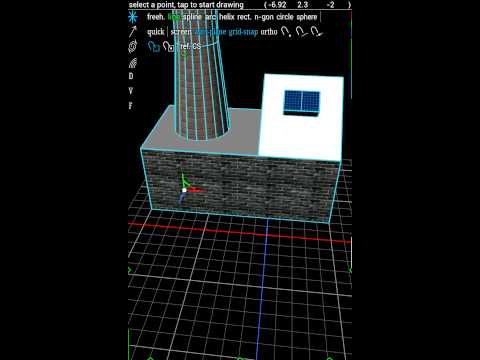

Professional 3D modeling for mobile multi-touch devices
* viewing / drawing & constructing / polygon & patch modeling / texturing / 3d-painting
* intuitive use of multi-touch and motion-sensors throughout
* adapts to almost any Android-device, highly configurable
for examples of models done completely with Spacedraw, see e.g. http://www.polycount.com/forum/showthread.php?t=106465&page=2
FEATURES:
•change the view while drawing or modeling, using multi-touch or by tilting your device
-up to 4 touch-points, gyroscope / accelerometer
•toggle wireframe, shading, textures, lighting, x-ray, backface cull; hide objects / faces
•perspective / othographic projection
•draw freehand-lines, CAD-polylines & splines in 3d, combine them to complex networks
-rotate the construction-plane while drawing
-adjust splines via anchor-points & handles using multi-touch
•create rectangles, grids, boxes, polygons, prisms, pyramids, discs, cylinders, cones, tori, spheres, helices
-various parameters
-auto-align them to surfaces
•select & transform any number of vertices, edges, faces or objects
-preview highlight
-multi-touch lasso & paint selection
-select paths, loops, rings, border, outline
-grow/shrink, invert, convert selections
-soft selection
•move simultaneously in all spatial directions, using two fingers
•rotate freely around all 3 axes, scale, flip objects
-individual / common pivot
•snap to a 3d-grid, points, lines or faces
•link objects hierarchically
•create copies, instances & arrays
•model arbitrary complex polygon meshes, manifold or not
-normals, colors & UVs are retained
•weld vertices (center / target / auto), merge or collapse faces & edges
•extrude or bridge edges & faces
•subdivide regularly, insert edge loops or “draw” edges
•detach, split, slice
•chamfer edges & corners
•"inflate" lines or edges to pipes
-at branchings, the simplest possible joints are created, yielding contiguous manifold surfaces
•"thicken" surfaces to solids
-create manifold objects even from complex constructs
•create "patch-surfaces" from spline-networks
-2-, 3-, 4-sided patches
-adjust them via control-points & handles, using multi-touch
-create smooth surfaces, creases & cusps
-mix patches with polygon-meshes
•place directional-, point- & spot-lights
-adjust color, ambient / diffuse intensity, decay, cone-angle & -falloff
•define materials: diffuse & specular color, shininess, emission, transparency, texture
•assign them to whole objects or individual faces
•assign vertex-colors to faces, edges, vertices, creating gradients
•view & edit normals
•map textures using planar, box, cylindrical or spherical projection, or face / wrap mapping
•adjust the maps directly in the 3d-viewpot, split or weld UVs
•use your own images, or the included over 100 varied materials
-adjust & crop the images
-use transparency
•create procedural textures: gradient, tile, checker, clouds, turbulence
•paint directly on surfaces in the 3d-viewport
•move, resize & zoom "windows" using multi-touch gestures
•choose any color with one grip by moving in the 3d color-space with two fingers
•change the colors & sizes of the interface, pointer, vertices, edges...
•import & export .obj files incl. materials, textures, normals*
•undo any operation, save the full construction-history to a file*
•a status-bar shows hints for using the tools
•a detailed user manual is available, covering all of Spacedraw's functions
to start using Spacedraw, follow the Quick start tutorial: http://www.scalisoft.com/quickstart.htm
to get help, report bugs, and to suggest features and improvements , see http://www.polycount.com/forum/showthread.php?t=143422
~ watch the video in at least 480p to make all details discernible ~
* the free version only saves / exports scenes with up to 1000 vertices, and no history
- LicenseFree
- File nameSpacedraw
- File Version1.3.3
- Package namecom.scalisoft.spacedraw
- Size2.61 MB
- UploadedJuly 2, 2017
- Android2.2 or later
- CategoryProductivity
- DeveloperScalisoft
- Developer site
- Developer emailinfo@scalisoft.com
- md5 hash91a2b7bd5c0e1af87a14792987171e51
- Architecture-